
Chat with MUI
Open siteCoding & Development
Introduction
AI chat for MUI docs within VS Code.




Chat with MUI Product Information
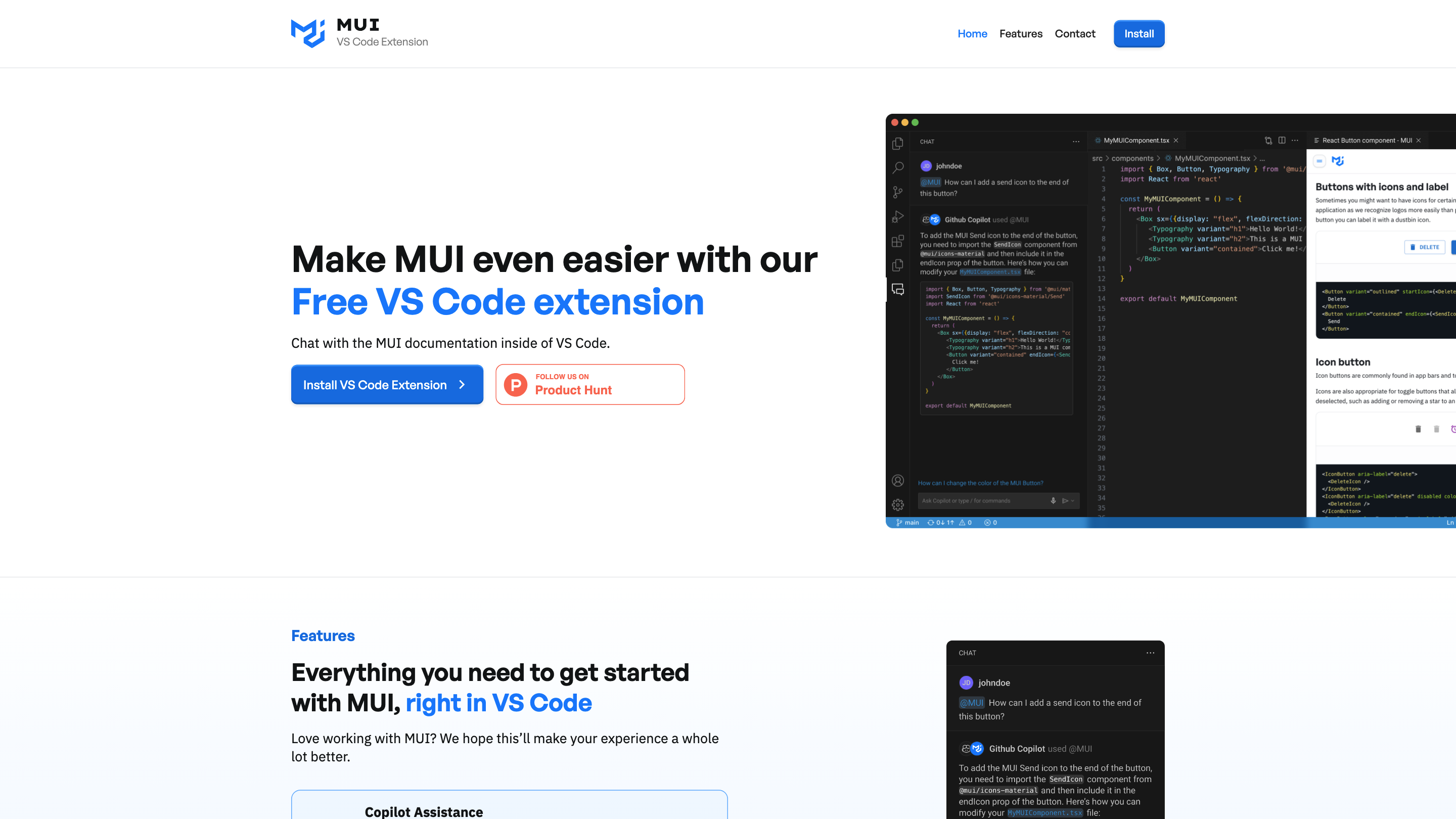
MUI VS Code Extension is a developer tool that brings MUI documentation, Copilot-assisted guidance, and direct feedback capabilities directly into the Visual Studio Code editor. It aims to streamline building with MUI by providing in-editor access to documentation, AI-assisted answers grounded in MUI docs and examples, and a channel to submit feedback or feature requests without leaving the IDE.
How to Use MUI VS Code Extension
- Install the VS Code Extension for MUI from the marketplace.
- Open VS Code and access the MUI features from within the editor.
- Chat with Copilot: Use the '@mui' prefix to ask questions; Copilot will respond with knowledge grounded in MUI docs and examples.
- In-IDE Docs (Coming Soon): Search and navigate MUI documentation without leaving your code editor (availability may vary as the feature is rolled out).
- Submit Feedback: Use the Direct Feedback feature to suggest improvements, report bugs, or request new features for MUI.
Features
- In-editor Copilot-assisted Q&A with the '@mui' prefix, grounded in MUI docs and examples
- Chat-based access to MUI knowledge directly inside VS Code
- In-IDE documentation search and navigation (Coming Soon)
- Direct Feedback channel to submit improvements, bugs, and feature requests from within the editor
- Quick access to MUI guidance while coding to improve efficiency
- Designed to streamline workflows for developers building with MUI
How It Works
- The extension integrates Copilot-based chat using the '@mui' prefix to fetch responses aligned with official MUI docs and examples.
- It provides a pathway to browse MUI documentation without switching windows, enhancing in-editor learning and reference.
- Users can submit feedback or feature requests directly from VS Code to influence future improvements.
Safety and Best Practices
- Rely on the Copilot responses as guidance and verify against official MUI docs for critical production decisions.
- Use the feedback feature responsibly to report issues or propose enhancements.