
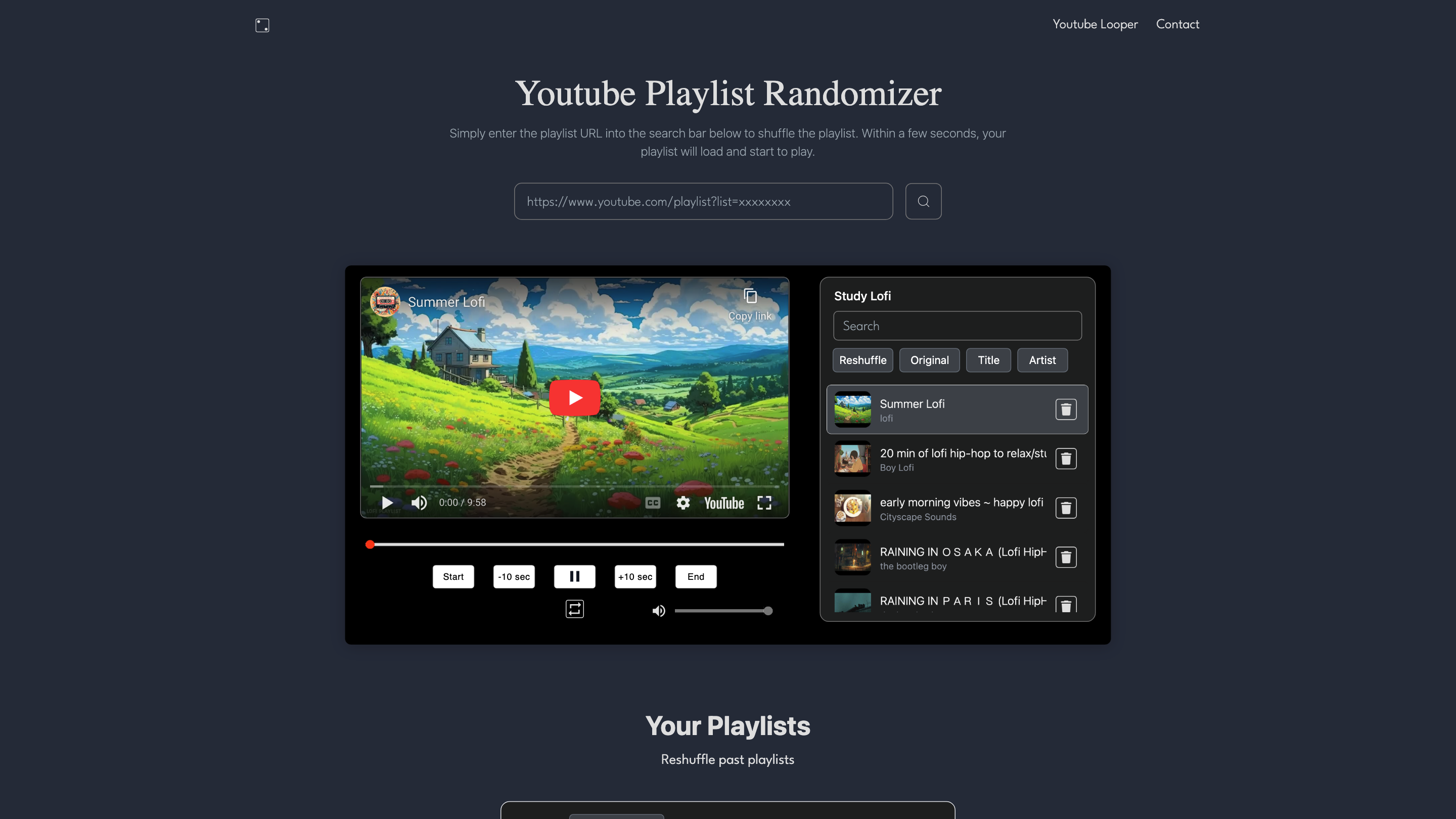
Youtube Playlist Randomizer
Open siteSocial Media
Introduction
Shuffle YouTube playlists freely




Youtube Playlist Randomizer Product Information
Youtube Playlist Randomizer is a free web tool that lets you fully shuffle and loop YouTube and YouTube Music playlists beyond YouTube's native limits. It loads an entire public playlist from a provided URL, shuffles the whole list (not just the first 200 items), and offers options to reshuffle, loop, save, and revisit past playlists. The service emphasizes an ad-free, uninterrupted listening experience with background play and a focus on user-friendly playlist management.
How to Use Youtube Playlist Randomizer
- Enter the playlist URL. Paste the public YouTube or YouTube Music playlist URL into the search bar.
- Load and shuffle. The playlist loads and you can initiate a full random shuffle (not limited to the first 200 videos).
- Play and control. Start playback and use features like reshuffle, loop, or return to a saved history of playlists.
- Optional features. Turn off the screen and continue background playback; apply loop to a specific song/video; view and replay older playlists from history.
What It Does Better Than YouTube Alone
- Shuffles the entire playlist, not just the first 200 items.
- Fully random order for a more varied listening experience.
- Enables background playback with the screen off.
- Allows looping of entire playlists or individual songs/videos.
- No ads between songs in the randomized playback (as described by the service).
- Save and revisit previous playlists from a history list.
- Provides an origin-focused explanation for why the tool exists and its goals: solving non-random, limited shuffles and intrusive ads on standard YouTube playlists.
How It Works
- User provides a public playlist URL.
- The tool loads the playlist and performs a full, random shuffle across all items.
- Users can reshuffle, loop, or revert to the original order as needed.
- History and saved playlists allow quick access to past sessions.
- Background playback is supported when the screen is off, with ad-free playback described for the tool’s environment.
Safety and Legal Considerations
- Use with public playlists and respect content ownership and terms of service of YouTube and YouTube Music.
Core Features
- Full playlist shuffle: randomizes the entire playlist (not limited to the first 200 videos)
- Looping: loop either the entire playlist or a single song/video
- Background play: support for screen-off playback
- History and saved playlists: save and revisit past shuffled playlists
- Ad-free playback experience per the tool's description
- Simple URL-based input: enter a playlist URL to begin
- Public playlist compatibility: supports YouTube and YouTube Music public playlists